BGP is how independent networks tell each other which addresses they can reach. This viewer shows, for any address or prefix, which network announces it, the AS paths other operators use to get there, and how many distinct routes exist. It is the layer that decides where your traffic actually goes, above anything you control.
Example
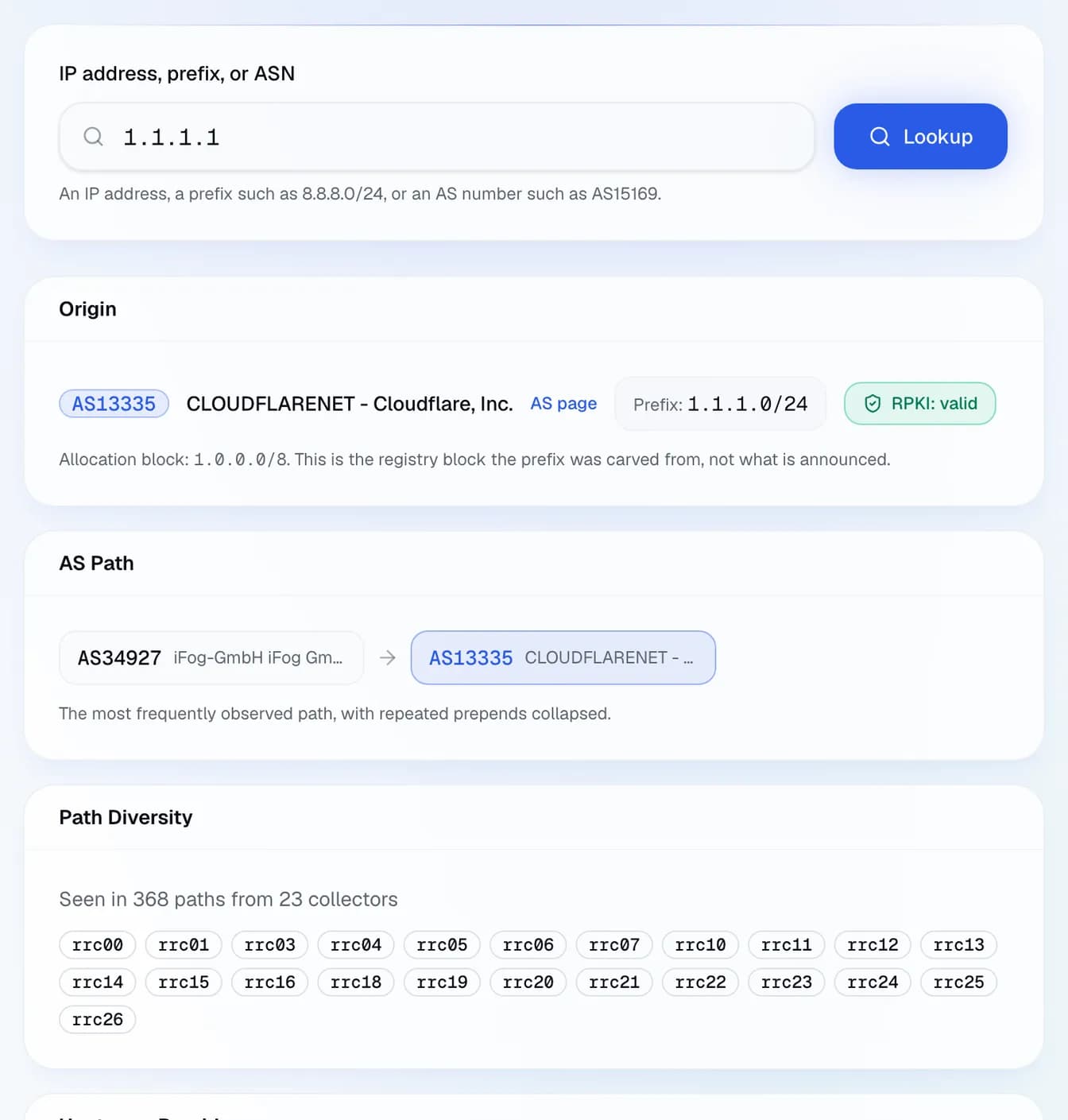
Example result: the BGP view of 1.1.1.1: announced in 1.1.1.0/24 by AS13335 (Cloudflare), RPKI valid, seen by 23 RIPE RIS collectors.
Start with the origin AS: that is the network claiming ownership of the prefix, and it should be the one you expect. Then look at path diversity: a prefix reachable through a single upstream has a single point of failure, whatever redundancy exists inside the network. A prefix suddenly announced by an unfamiliar AS, or a path that grew several hops longer overnight, are the classic signatures of a route leak or a hijack.
Frequently asked questions
What is an AS path?
The list of networks a route crossed to reach the observer, most recent first. Shorter is generally preferred by BGP, though operators routinely override that with local policy.
Why does my prefix show different paths from different places?
That is normal and healthy. Each operator picks its own route according to its own policy and peering, so there is no single correct path: there are as many as there are vantage points.
What is a route leak?
A network announcing routes it should not, usually by mistake, pulling traffic through a path that was never meant to carry it. The symptom is a sudden latency jump with no change on your side.
Can I do anything about a hijack?
Sign your prefixes with RPKI so operators can reject invalid announcements, contact the origin AS and your upstreams, and announce more specific prefixes as an emergency measure. Prevention works far better than reaction.